
Every vehicle's full history
Mileage, fuel, service records, photos and documents in one place per car — with custom categories that match how you group your fleet.
Know where every car is, what it's earning and what it needs next. RentalPilot tracks mileage, maintenance, documents and availability across your whole fleet — and warns you before a service or registration lapses.
No credit card required · Live the same day
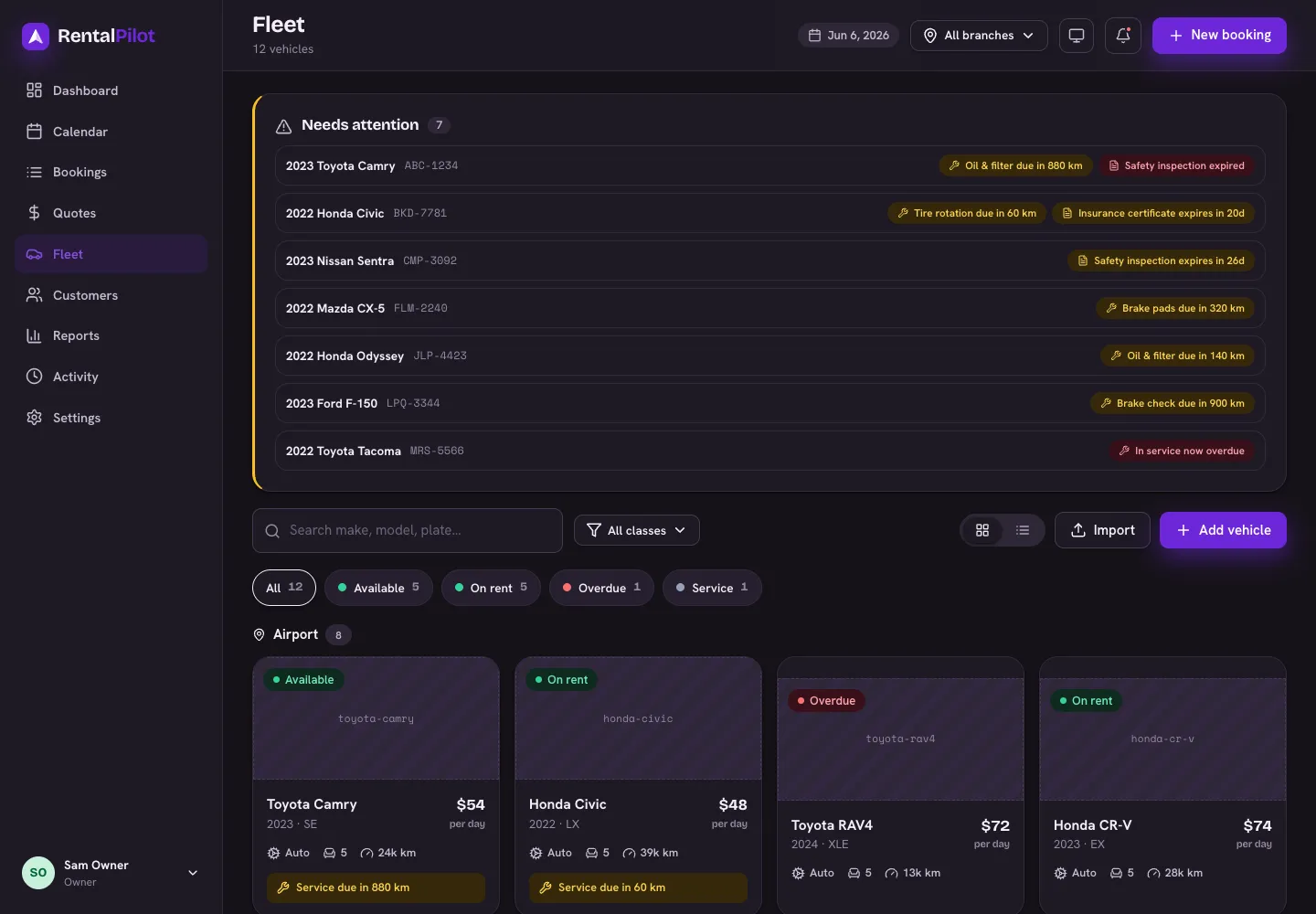
Mileage, fuel, service records, photos and documents in one place per car — with custom categories that match how you group your fleet.
Service-due and document-expiry alerts surface on a 'needs attention' panel so a lapsed registration never grounds a rental.
Mark cars in for service so they drop out of availability automatically — no accidental bookings on a vehicle that's in the shop.
Per-vehicle and per-rental reporting shows utilisation and revenue, so you know which cars to keep, retire or add.
A rental car accumulates a paper trail: purchase details, plate and VIN, insurance and registration documents, service history, photos of the damage it already had before this customer took it. Spread across a folder, a phone camera roll and a glovebox, that trail is useless at the moment you need it — which is always a dispute, an inspection or an insurance claim.
In RentalPilot each vehicle has one page holding all of it: specification and category, current odometer, uploaded documents with their expiry dates, photos, maintenance history and every rental the car has ever been on. Your categories and the amenity list are yours to define, so the fleet is grouped the way you already think about it.
Service is scheduled against mileage, which the system already knows because check-out and check-in capture the odometer on every rental. When a car is approaching or past its service interval it appears on a 'Needs attention' panel on the fleet page rather than waiting to be noticed.
Put a vehicle in for service and it drops out of availability immediately — it can't be booked online or by your team while it's off the road. Maintenance jobs record what was done and what it cost, so the money you sink into a vehicle sits alongside the revenue it generated rather than in a different system entirely.
Registration, insurance and inspection certificates all expire on their own schedule, and none of them warn you. The failure mode is specific and expensive: a customer arrives, the car is technically unrentable, and you're either turning away the rental or taking a risk you can't insure.
Upload each document with its expiry date and RentalPilot surfaces it as it approaches — expired and expiring-soon documents appear on the same attention panel as overdue services, so the one screen you check in the morning covers both.
Fleet decisions — keep it, retire it, buy another like it — are guesses unless you can see per-vehicle performance. Reporting breaks revenue down by vehicle and by rental, with the full money trail on each: base rate, extras, protection, discounts, fees, tax, deposit and any damage captured or refund issued.
When a car reaches the end of its life you retire it rather than deleting it. It disappears from every booking path and from availability, but its rental and revenue history stays intact for your reports and for anyone who asks about a rental from two years ago.
Yes. Maintenance jobs record the work done and its cost against the vehicle, so per-car spend sits alongside the revenue that car generated in your reports.
Marking a vehicle as in maintenance removes it from availability immediately, so neither your team nor a customer on your booking site can reserve it while it's off the road.
Yes. Vehicles and customers both import from CSV, with a downloadable template and a preview step showing per-row results before anything is saved. On paid plans, AI column mapping matches a messy export's columns for you.
Yes — retire it instead of deleting it. A retired vehicle drops out of availability and every booking path, but keeps its full rental and revenue history, and can be restored later.
Yes. Distance units follow an operator-level setting, so mileage, service intervals and reports all read in miles or kilometres to match your market.
Bookings, fleet, payments, customers and reports — all in one place, from $29/mo with no commission.