
Protection plans (CDW)
Offer your own collision-damage-waiver (CDW) protection plans that renters pick at checkout — set the per-day price and an optional deposit override, and define what they cover in your rental agreement.
Protection plans let you offer your renters an optional collision damage waiver (CDW) at checkout. The renter chooses a plan (or declines and uses their own cover), and it’s priced into the booking automatically — usually in exchange for a lower security deposit.
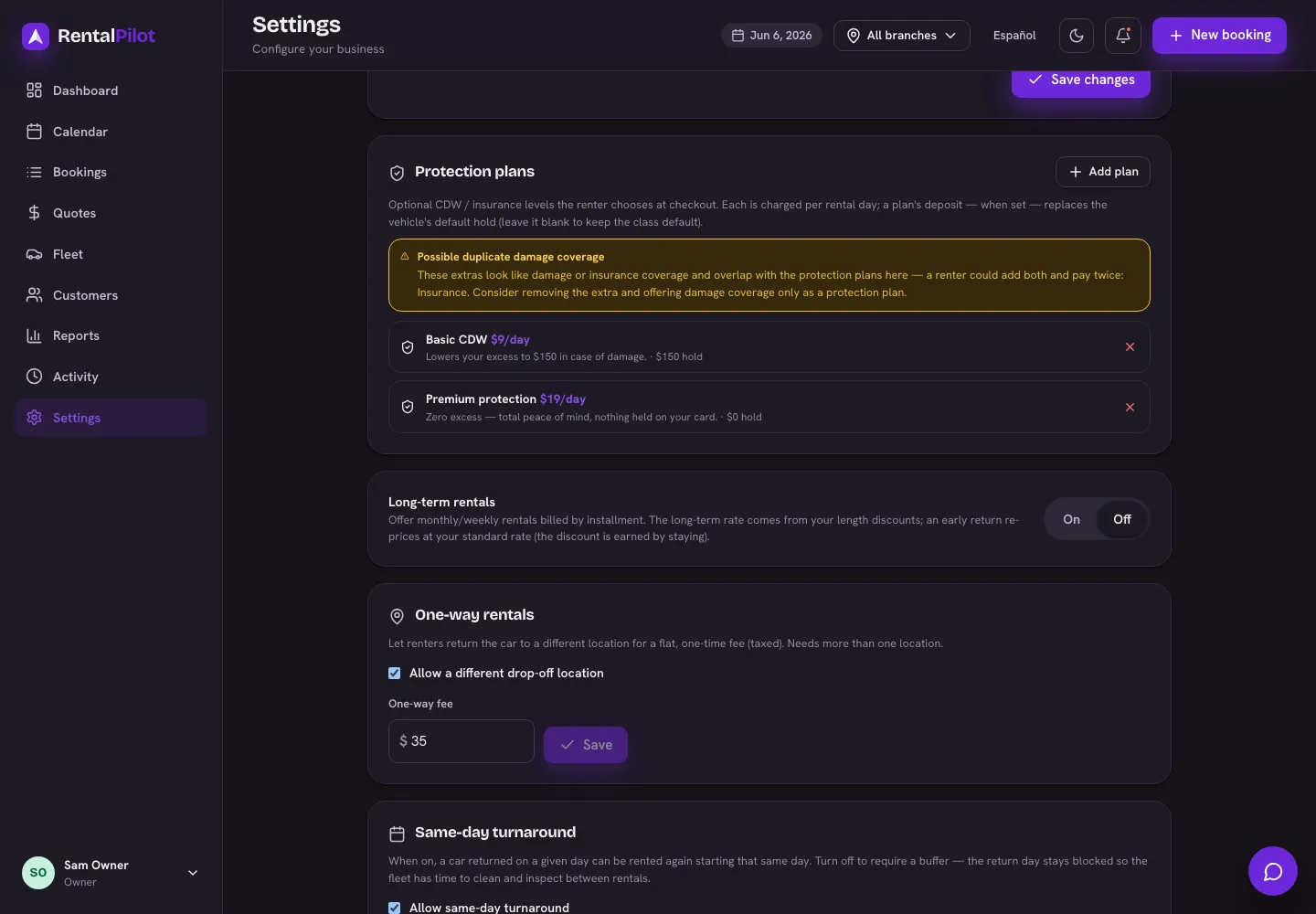
Set up your plans
In Settings → Reservations → Protection plans, Add plan with:
- a name (e.g. “Basic CDW”, “Premium protection”) and an optional short description,
- a per-day price — charged for each rental day and taxed, and
- an optional deposit override — the security hold this plan applies instead of the vehicle’s default hold.
The deposit override is the main draw: a premium plan can drop the hold all the way to $0, while a basic plan might lower it part-way. Leave it blank and the vehicle’s default hold applies.
What the renter sees
At checkout the renter picks one plan or declines (“use my own insurance”). Choosing a plan adds its per-day price to the total and shows the reduced hold. The booking records which plan was chosen and the fee, so it appears on the invoice and in your reports.
Important: these are your plans, not insurance from RentalPilot
This is the part to get right:
- You offer the plan; RentalPilot just provides the tool. A protection plan is a contract between you and your renter — RentalPilot is not the rental company, the insurer, or a party to it. The renter sees a short note at checkout making this clear.
- A CDW is a waiver, not an insurance policy. When a renter buys it, you agree to waive or limit what you’ll charge them for damage, on the terms you set. It is not third-party insurance, and it doesn’t replace the cover you carry on your own fleet.
- You define what it covers — in your rental agreement. The plan name and price live here; the actual terms (what’s covered, the excess, exclusions, conditions) belong in Settings → Reservations so the renter agrees to them when they book.
- Check your local rules. In some places a damage waiver is regulated — there can be required disclosure wording, price caps, or rules that it can’t be mandatory. Rules vary by country and (in the US) by state, so confirm what applies to where you operate. If you’re unsure, ask a local advisor before you rely on it.
Related
- Extras, delivery & fees — other optional add-ons at checkout.
- Set your rates, seasons & discounts — base pricing and tax.
- Deposits & refunds — how security holds work.
Your plan’s actual terms live in Settings → Reservations (your rental agreement). Questions? Contact us.