
Long-term & monthly rentals
Offer weekly or monthly rentals billed in installments, with the discount earned by staying — automatic per-period billing, an early-return re-price, and a recurring-revenue report.
Long-term rentals let you rent a car for weeks or months and bill the customer one period at a time instead of charging the whole total up front. The customer gets a lower long-term rate, and you get predictable recurring income — with safeguards so the discount can’t be gamed.
Turn it on
In Settings → Reservations → Long-term rentals:
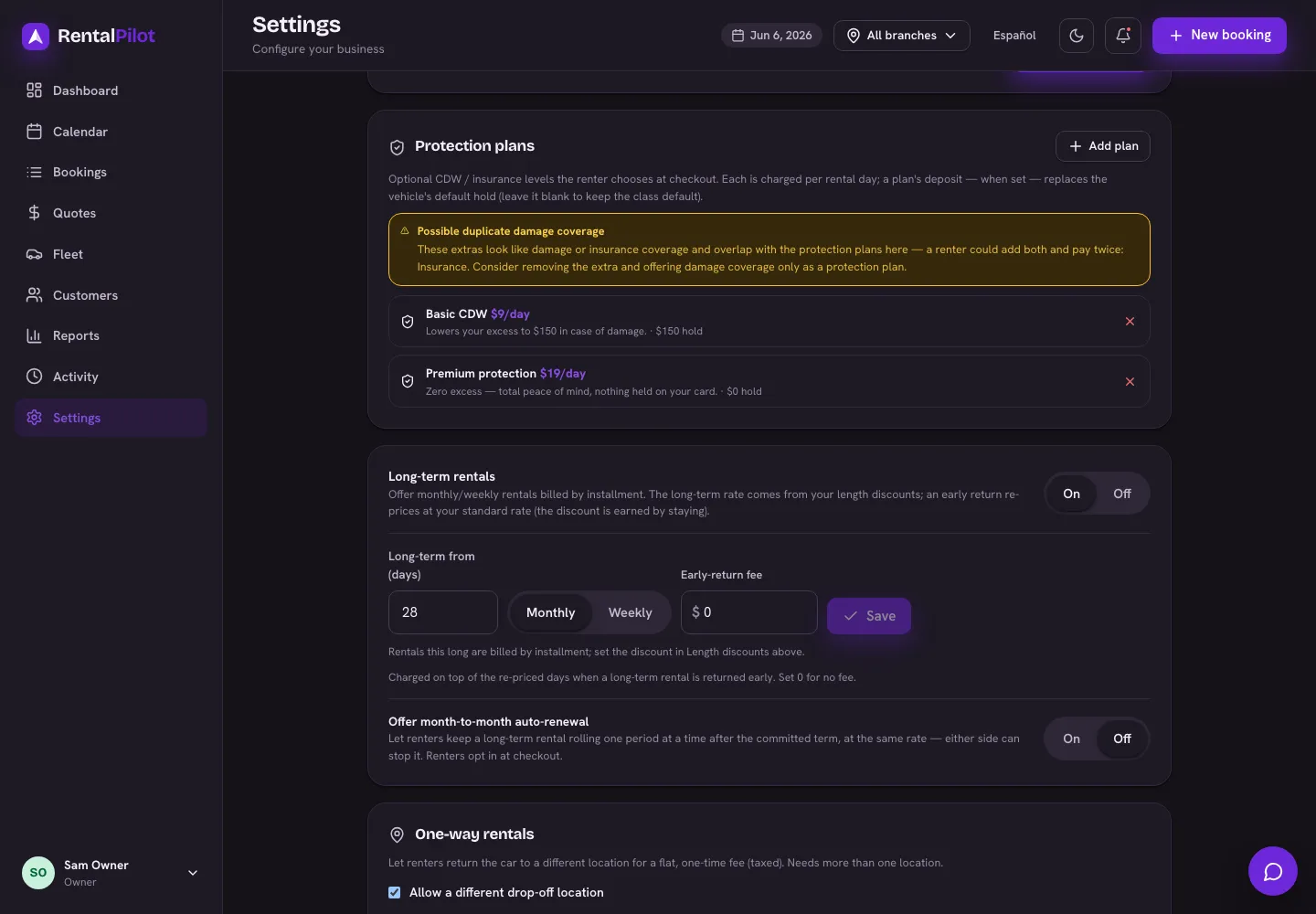
- Switch Long-term rentals on.
- Set the minimum length that counts as long-term (e.g. 28 days).
- Choose the billing cadence — monthly or weekly.
- Optionally set an early-return fee — a flat charge added when a long-term rental is handed back early (see Early returns below). Leave it at 0 for no fee.
Any online booking whose length meets that minimum automatically becomes a long-term rental. Because payments come off a saved card, this requires your Stripe account to be connected — see Connect Stripe to get paid.
A rental is only split into installments when it spans more than one billing period. With monthly billing (30-day periods), a 28–30 day rental is a single period and is simply charged in full at booking. To actually bill in parts, the term needs to run past one period — e.g. a monthly rental longer than a month, or use the weekly cadence for shorter long-term rentals.
How the price is set
The long-term rate comes straight from your Length discounts (Settings → Pricing & catalog → see Set your rates, seasons and discounts). Add a discount tier at or below your long-term minimum, and any qualifying booking is automatically priced at that discounted rate — no separate long-term price to maintain.
How billing works
- The first period is charged when the customer books.
- Each later period is then collected automatically from the card on file when it comes due. You can also collect one early from the booking with the Charge installment button.
- The customer gets an emailed receipt after each successful payment.
You’ll see the installment status on the booking — how much is paid of the total, and when the next payment is due.
If a payment fails
If an automatic charge is declined, we retry for a couple of days. If it keeps failing, automatic billing pauses, the booking is flagged, and we email you so you can follow up. To recover it, use Send link on the booking to email the customer a secure link where they can enter a new card — that card is saved for the rest of the rental, and the overdue installment is collected right then (just that one period, not the whole term). Auto-billing then resumes on the new card. You can also send the same link before a card expires to update it with nothing charged. A booking that’s behind on payments won’t quietly pass the pickup screen: check-out asks you to bring it up to date (or record a manager override) first.
Early returns — the discount is earned by staying
This is what keeps the long-term discount honest. If the customer returns before the end date:
- On the return screen, set the Returning early? date to the actual return day.
- The days they actually used are re-priced at your standard daily rate — the long-term discount no longer applies.
- If you’ve set an early-return fee, that flat amount is added on top of the re-priced days.
- The difference is settled on the card on file: an extra charge if they owe more, or a refund if they’d paid ahead.
The customer is never charged more than your standard daily rate (plus any early-return fee) for the days they used — so returning early is fair, but booking a long, cheap term and leaving after a few weeks doesn’t let anyone keep the discount. The fee shows up on the customer’s rental agreement when it applies, so it’s disclosed before they sign.
Month-to-month auto-renewal
Turn on Offer month-to-month auto-renewal in Settings → Reservations → Long-term rentals to let a long-term rental keep rolling after its committed term. When it’s offered, the customer can tick Auto-renew month-to-month at checkout.
- After the committed term ends, the rental extends one period at a time (monthly or weekly, matching your cadence) at the same discounted rate — no re-quote.
- Each period is charged automatically to the card on file, and the customer gets a receipt.
- Renewed periods are month-to-month: each one is a completed commitment, so the early-return re-price (clawback) only applies within the committed term. Returning during a renewed period doesn’t re-price the whole rental — the customer keeps the period they’ve paid for.
- If a renewal charge keeps failing, we retry for a couple of days, then stop the renewal and email you — the rental simply ends at its current paid-through date.
Stopping it — either side can stop future renewals: you from the booking (a Stop renewal button), or the customer from My booking. It’s not a cancellation — the rental runs out its current paid period and is returned at check-out as normal.
Tracking your recurring book
Reports → Long-term gives you the whole picture at a glance:
- Monthly recurring revenue (MRR) across your active contracts (weekly rentals are normalized to a month).
- Active contracts, and how much is committed vs collected vs still outstanding.
- A delinquent count — rentals where automatic billing has failed repeatedly.
- A per-contract table (customer, vehicle, cadence, installment, balances, status) you can export to CSV.
Setting up your discount tiers first? See Set your rates, seasons and discounts. Questions? Contact us.