
Start with empty admin screens
Find the first step on a new account, and clear filters when a list has no matching records.
A new account starts with your own business data. Empty screens explain what belongs there and link to the next action, including on paid plans.
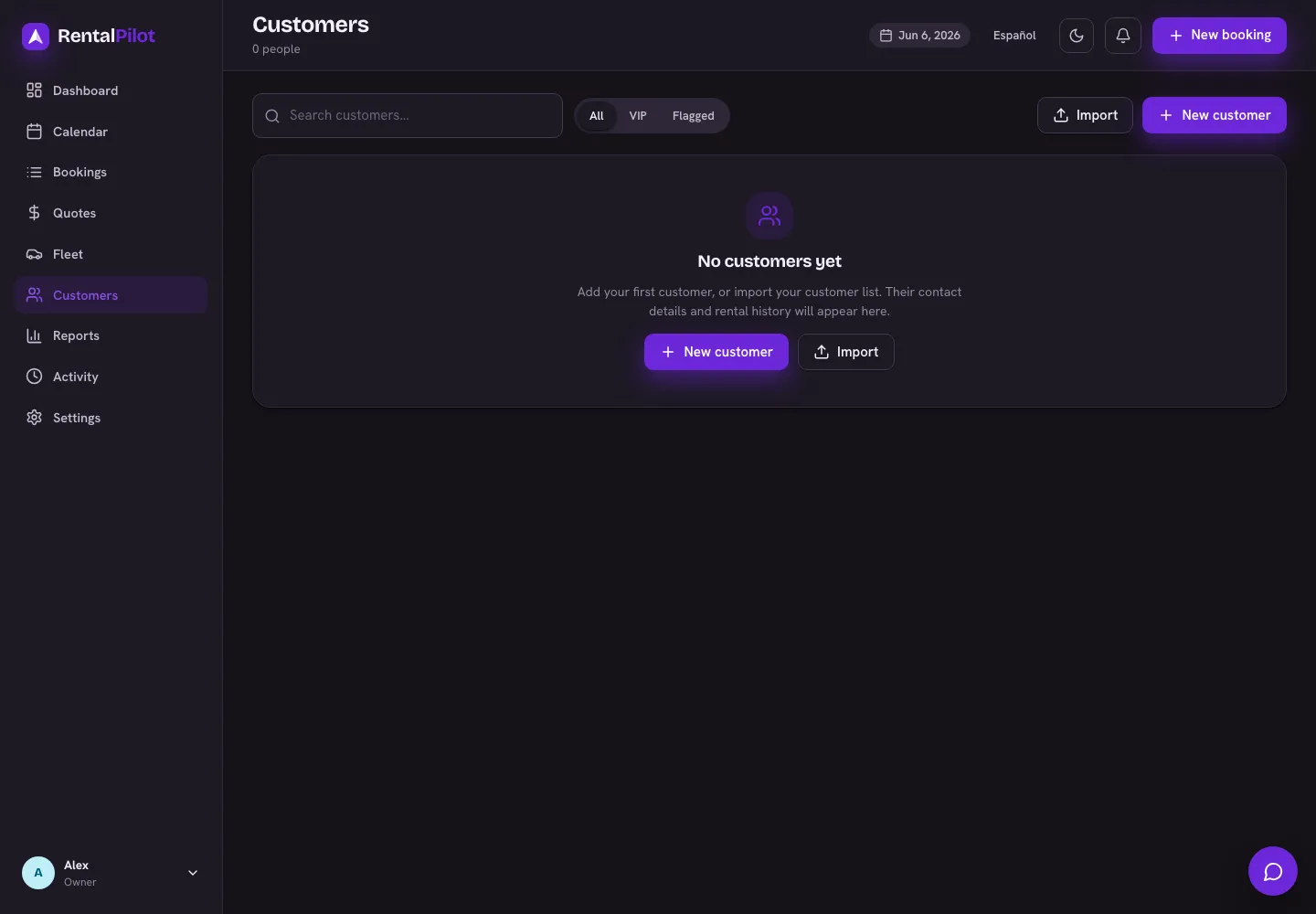
Add your first records
- Fleet: add a vehicle or import your fleet. Owners and managers can do this; staff should ask an owner or manager.
- Customers: choose New customer or Import. Customer profiles collect contact details and rental history as you work.
- Bookings: choose New booking once you have a customer and an active vehicle that is not in maintenance. The screen links to Fleet or Customers when either is missing. Staff should ask an owner or manager to add the first customer.
- Calendar: add a vehicle to see its availability. Then drag across dates on the vehicle’s row to begin a booking.
- Quotes: add or restore a vehicle, or finish its maintenance, then choose New quote to calculate a price from your live pricing. A quote does not require an existing customer.
- Reports: rental reports fill in as you create bookings and record payments. The Staff and Cash flow tabs also show staff activity and maintenance costs.
- Activity: actions appear here with who performed them and when. An empty activity list needs no setup.
If new bookings are restricted by your plan’s fleet limit, the empty screen still respects that restriction. See Plans and billing.
When filters hide every result
A list with existing records shows a different message when a search, category, status or branch filter hides them. Choose Clear filters to show the records again. This changes the view; it does not add or delete data.
Retired vehicles remain in Fleet’s Retired section even when you have no active vehicles. Restore a retired vehicle or add another to accept new bookings.
A list that fails to load offers Retry. Retry the request before treating the screen as an empty account.