
Your plan, fleet limits & AI scans
What your subscription includes — how many vehicles and locations you can run, your monthly AI-scan allowance and what happens if you run out — and how to change plan.
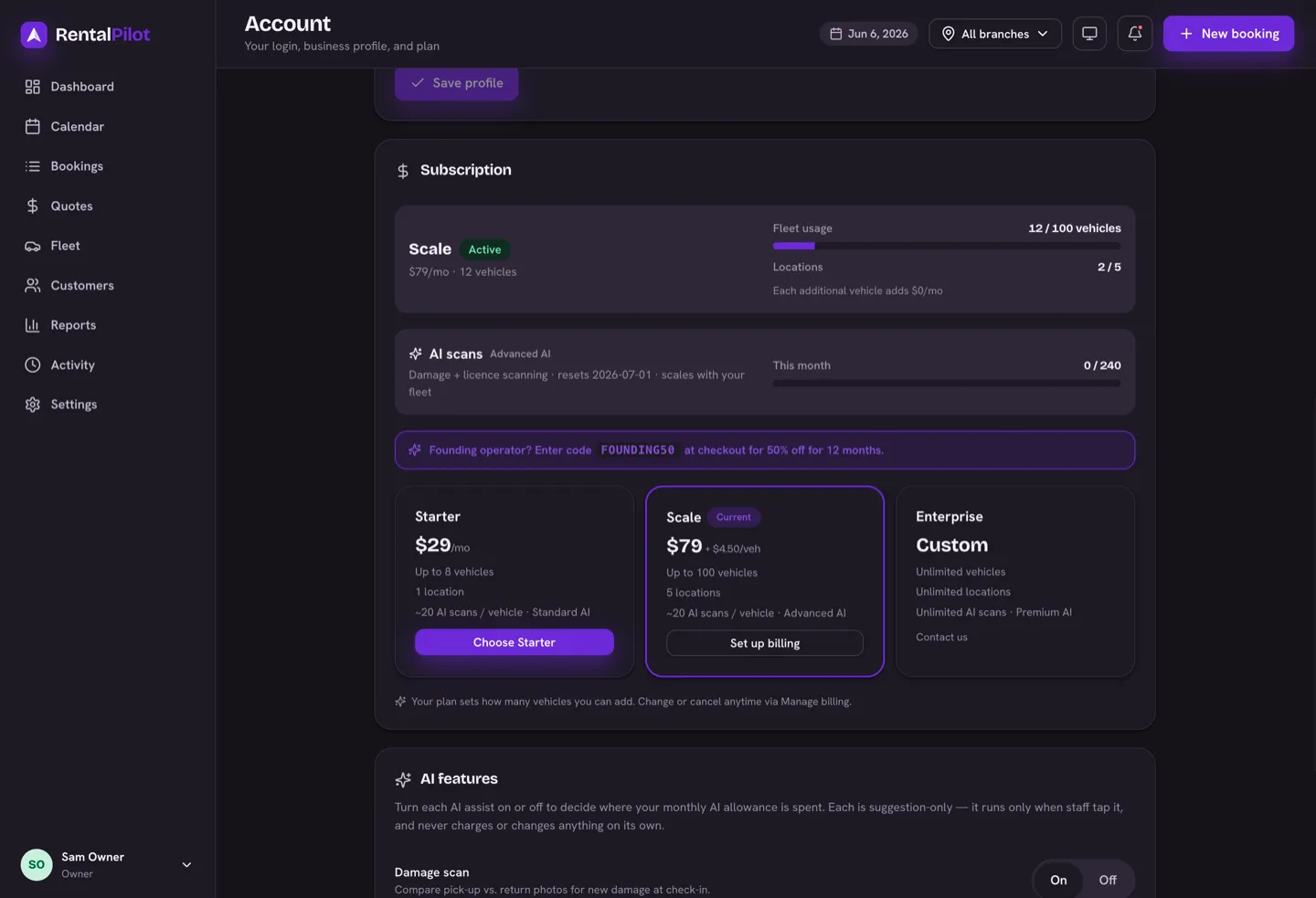
RentalPilot bills a monthly subscription tied to your fleet size — no per-booking fees and no commission on your rentals. See and change your plan under Account → Subscription.
What each plan includes
- Free — 2 vehicles · 1 location · no AI scans
- Starter ($29/mo) — up to 8 vehicles · 1 location · Standard AI
- Scale ($79/mo base, then from $4.50/vehicle over 15 — the per-vehicle rate drops as your fleet grows) — up to 100 vehicles · 5 locations · Advanced AI
- Enterprise — unlimited vehicles, locations and AI scans · Premium AI
You can start free with up to 2 vehicles and 1 location (no credit card) and upgrade when your fleet grows. The vehicle limit is a hard cap: if an import would put you over it, the rows above the cap are held back with an upgrade prompt.
AI scans
RentalPilot’s AI features are a paid feature, included as a monthly scan allowance that scales with your fleet — about 20 scans per vehicle — and resets on the 1st (the free tier doesn’t include AI — upgrade to Starter or above to turn it on). Each of these counts as one scan when you run it:
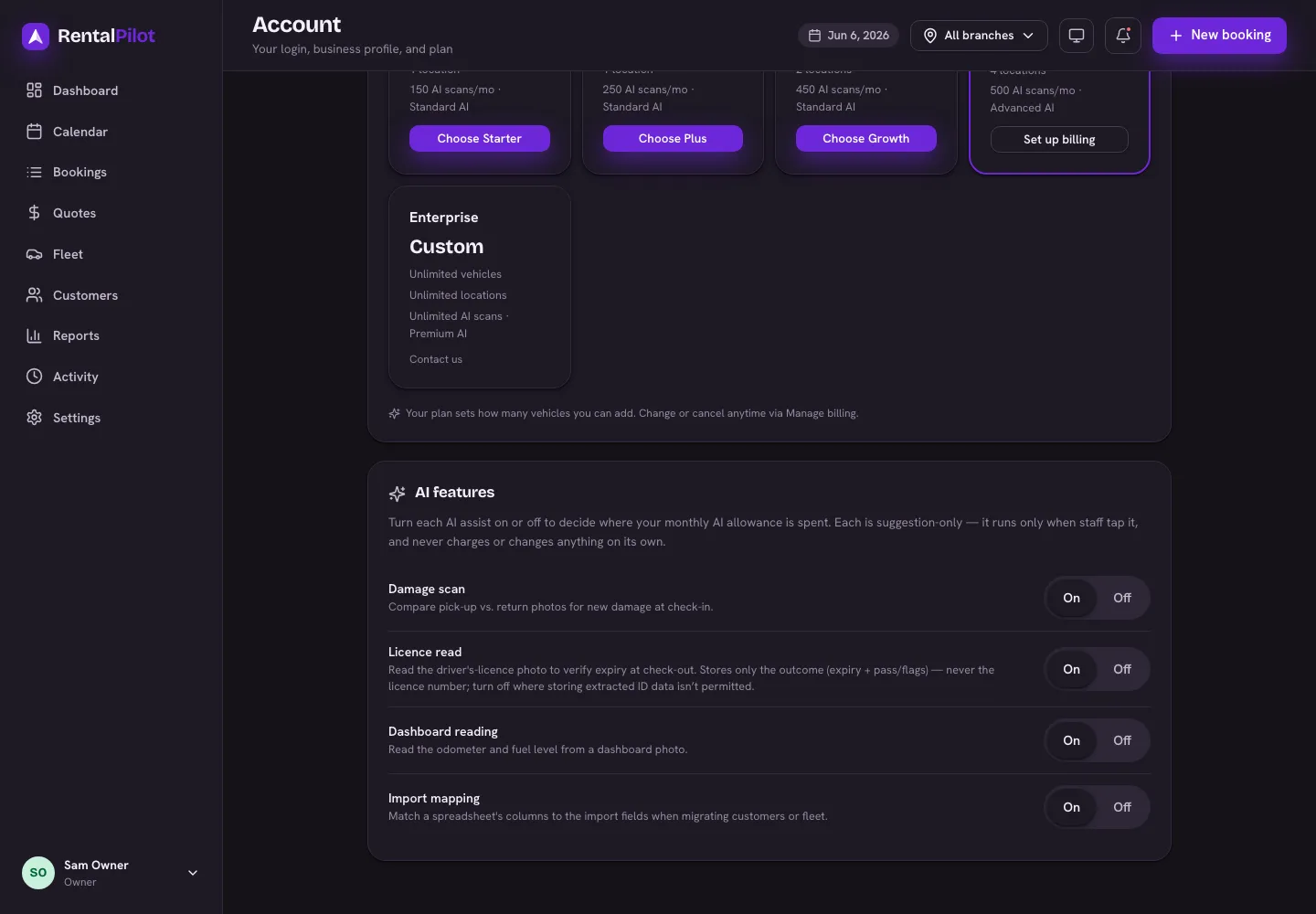
- Damage scan — compares pick-up and return photos at check-in to suggest new damage.
- Licence read — reads a driver’s-licence photo at check-out to verify its expiry.
- Dashboard reading — reads the odometer and fuel level from a dashboard photo.
AI import mapping — matching a spreadsheet’s columns to the import fields when you migrate data — is included free on every paid plan and does not use a scan. It’s a one-off setup helper, so you can map your migration files as often as you need.
Every scan is a suggestion you review — nothing is charged, saved or changed automatically. This month’s usage is shown under Account → Subscription.
If you run out mid-month
By default, scans simply stop once you’ve used your allowance, and the AI features go quiet until the 1st. If you’d rather keep going, turn on extra AI credits under Account — beyond your included allowance each additional credit costs $0.10, added to your next subscription invoice.
It’s off by default, and it has a brake: set a monthly spend cap and scanning stops again once you hit it, so a busy month can’t produce a surprise bill. Leave the cap blank for no ceiling. You can switch it off at any time.
Prefer not to think about it? Leaving overage off is perfectly safe — you’ll just see an upgrade prompt when the allowance runs out, and nothing is ever charged without you turning this on first.
Turn features on or off
You decide where your allowance goes: turn each feature on or off under Account → AI features. A feature that’s off simply doesn’t appear, so it never uses a scan.
Changing your plan
Account → Subscription shows your current plan and how much of your fleet limit you’re using. Use Choose to subscribe, or Manage billing to change or cancel through the secure Stripe customer portal.
Questions about billing? Contact us.